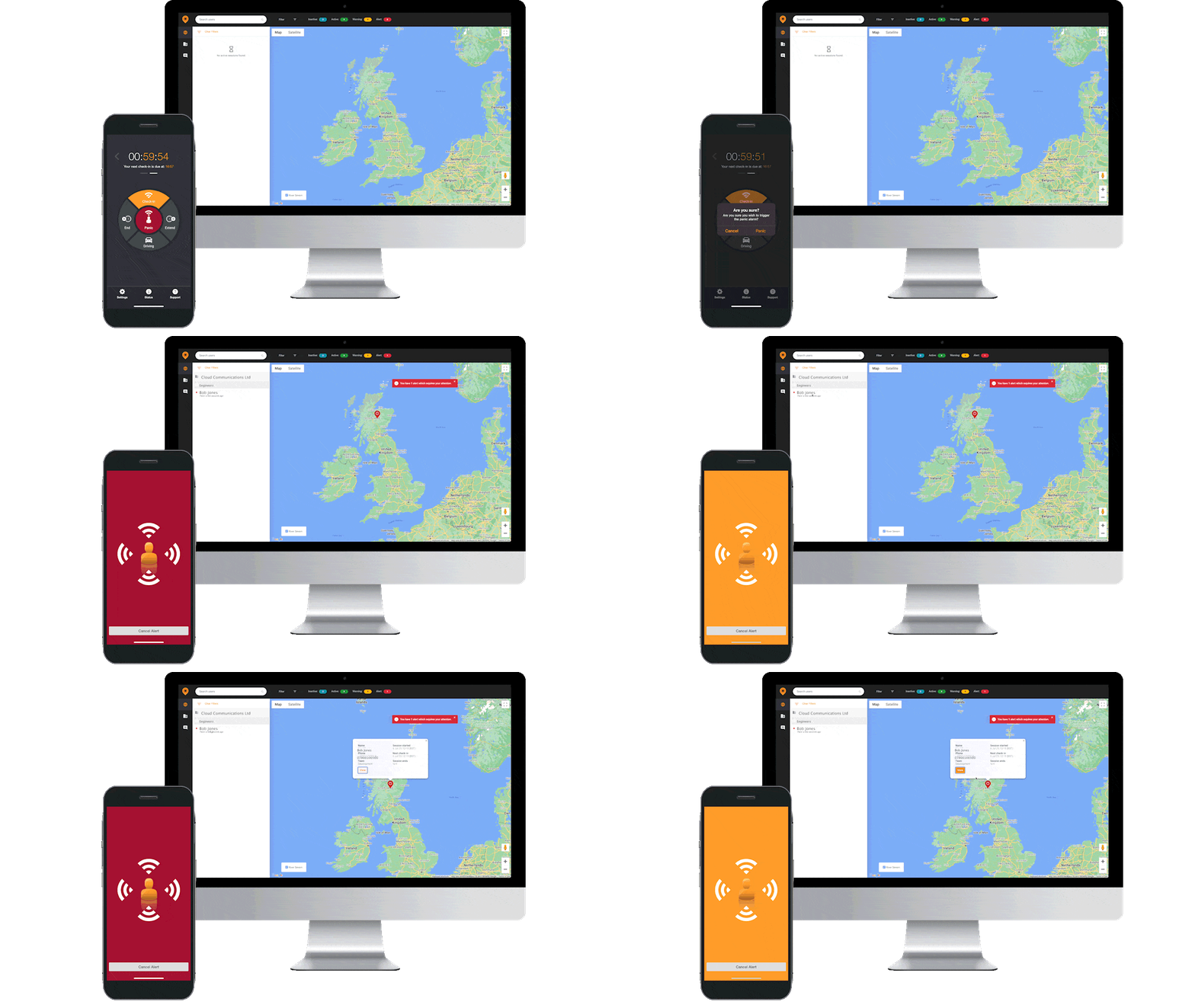









































Introducing StaySafe. Your personal guardian.
How it works
Stay Safe has been developed as a first line of protection for anyone working, relaxing or travelling solo.
Set up your secure PIN.
The first time you use the app, select emergency contacts from your
phone address book. These contacts will receive an alert if you
don’t check in, either by email (Stay Safe Lite) or email and text message (Stay Safe Premium)Enter your appointment, journey or activity into the app. Premium users can include details such
as exact addresses, the name of the person they are meeting, or taxi registration numbers.Check in as having left safely within the time allocated, or extend the time by entering your secure PIN.
Use the app panic button to immediately and discretely trigger an alert.
Forced to cancel the alert by an attacker? Entering the duress PIN appears to have cancelled the app
but instead triggers an emergency message to your contacts.Didn’t check in? The app will be triggered and your emergency contacts
will receive an alert including your last known GPS location (Stay Safe
Lite) or detailed GPS tracking updated each minute (Stay Safe
Premium). Alerts will be sent even if your phone is switched off
or damaged or if its battery dies.
When to use it
From late night meetings away from the office and solo bike rides to blind dates and taxi journeys home, most people find themselves alone and possibly at risk from time to time.
StaySafe has been developed as a first line of protection for anyone working, relaxing or travelling solo.
|
|
|
| Email Notifications | ![]() |
![]() |
| Panic Button | ![]() |
![]() |
| Secure Pin | ![]() |
![]() |
| Duress Pin | ![]() |
![]() |
| Contacts | 1 | 5 |
| Advanced GPS Tracking | ![]() |
![]() |
| SMS Notifications | ![]() |
![]() |